

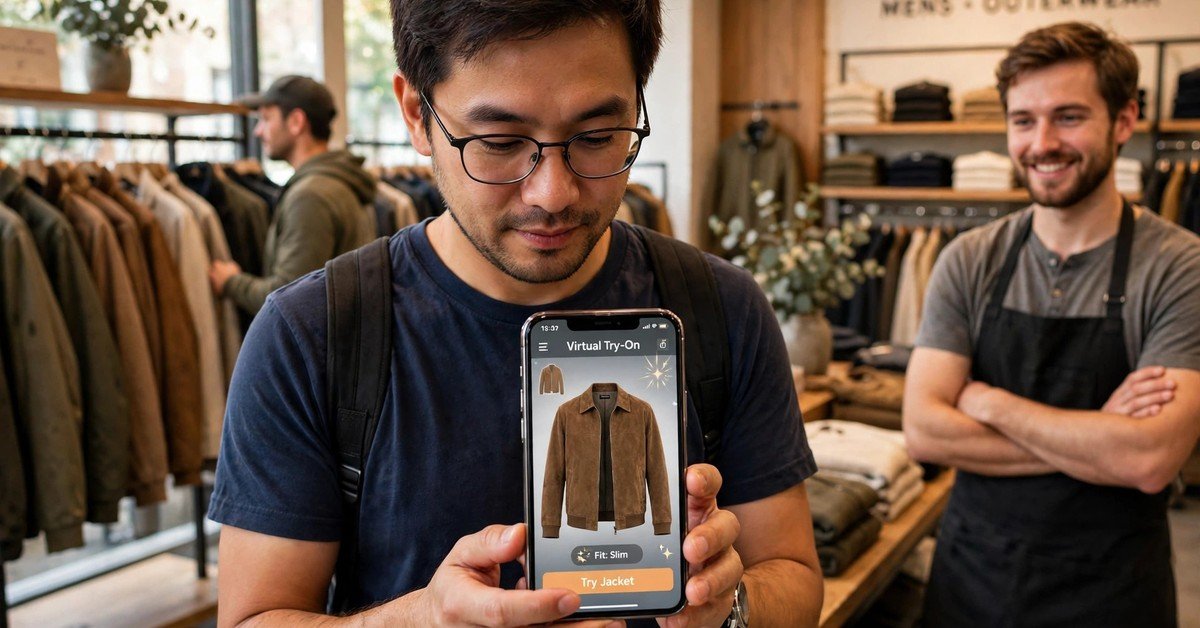
Shopping online has one clear weakness. You cannot touch the product, try it on, or see how it looks on you before you pay.
A virtual try on closes much of that gap. It lets a shopper see a product on their own body, face, or in their own room, using a phone camera or a simple photo upload.
In this guide, you will learn what virtual try on means, how it works, where it fits best, and what a store needs to launch it without a large team or a large budget.
What Is Virtual Try On?
Virtual try on is a way to preview a product on yourself before buying it. The shopper opens a camera view or uploads a photo, and the product appears in place, sized and shaped to fit.
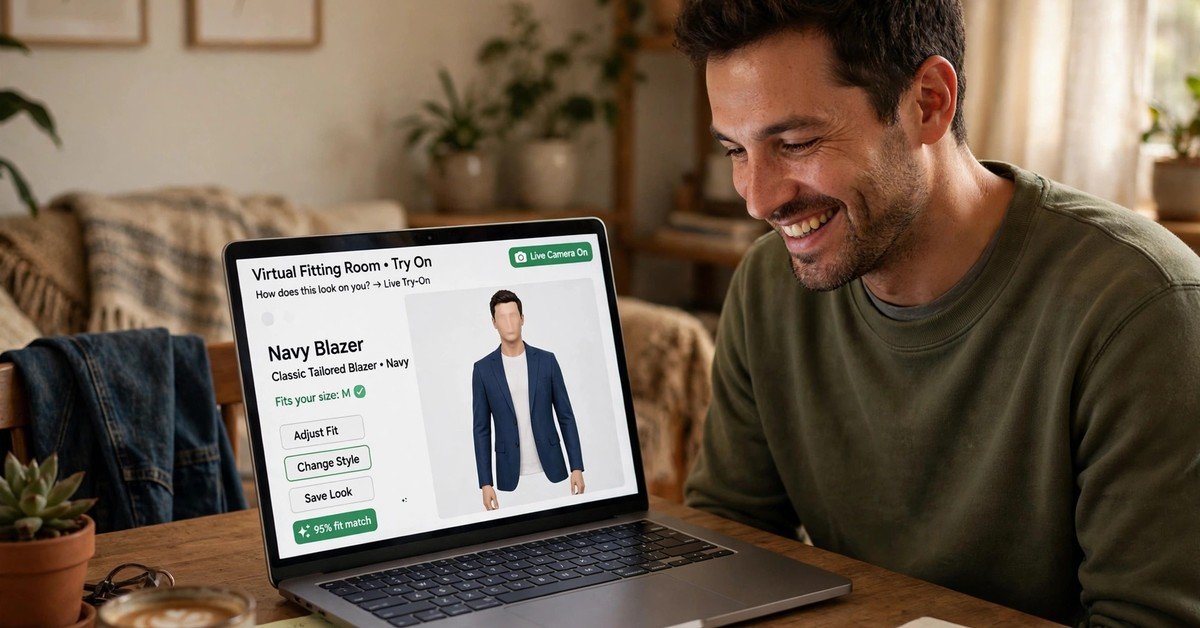
For clothing, that can mean a shirt or jacket shown on the shopper’s body. For eyewear, it can mean frames placed on the face. For furniture, it can mean a sofa placed in the living room at real size.
The goal is simple. The shopper should feel more sure about size, fit, colour, and style before they reach the checkout page.
It does not replace good photos, clear size charts, or honest product details. It adds one more layer of confidence on top of them.
How a Virtual Try On Works
Most virtual try on tools follow the same basic steps, even when the technology behind them differs.
First, the shopper gives the tool something to work with. That is usually a live camera view, a short video, or a photo taken in good light.
Second, the tool finds key points to anchor the product. For a face, it maps eyes, nose, and ears. For a body, it maps shoulders, chest, and waist. For a room, it maps the floor and walls.
Third, the product is drawn over that view in real size. A good tool keeps the scale honest, so a chair does not look small in a large room or huge in a small one.
Fourth, the shopper can move, turn, or change the colour and size. The product should stay in place as the person or the camera moves.
Fifth, the shopper can save the view, share it, or go straight to the product page to buy the exact item they previewed.
Some tools use augmented reality in the browser. Others use a photo-based fit model. The best choice depends on your products, your budget, and how much accuracy your shoppers need.

Where Virtual Try On Fits Best
Virtual try on works best where fit, size, or look is the main reason people hesitate.
Clothing is a clear fit. Shoppers worry about length, shoulder width, and how a style sits on their body. A preview helps them compare two sizes or two colours with more confidence.
Eyewear is another strong case. Face shape changes how frames look, and a quick face preview can narrow a long list down to two or three frames worth ordering.
Makeup and skincare previews help with shades. A shopper can test a lip colour or a foundation tone in different light before buying a full-size product.
Furniture and home goods benefit in a different way. The question is rarely about body fit. It is about scale, colour, and whether the item suits the room.
If your product is standard, low-cost, and easy to return, virtual try on may matter less. If fit doubt is slowing sales, it is worth testing.
Benefits for Stores and Shoppers
The main benefit for shoppers is confidence. When people can see a product on themselves, they ask fewer “will this suit me” questions and feel less rushed at checkout.
For stores, that confidence can show up as higher conversion. A shopper who has previewed a product is more likely to finish the purchase than a shopper who is still guessing.
Returns can also fall, especially for size-related returns. This does not mean returns disappear. It means fewer orders come back simply because the size or look was a surprise.
Virtual try on can also cut support questions. Shoppers who have seen the fit are less likely to ask for extra photos or sizing help before ordering.
It can support marketing too. A preview is easy to share, and a shared preview can bring a new shopper to the same product page. Used well, it fits into a wider plan for ecommerce marketing services without turning the product page into a gimmick.
The benefit is strongest when the preview is honest. A tool that makes every item look perfect will create trust problems later, when the real product arrives.

Virtual Try On Compared
Photos, size charts, and in-store fitting each answer a different question. Virtual try on sits between them.
| Method | See it on you | Check true size | Try many options fast | Needs a store visit |
|---|---|---|---|---|
| Product photos only | No | Partly | Yes | No |
| Size chart | No | Yes | Yes | No |
| Virtual try on | Yes | Yes, if scaled well | Yes | No |
| In-store fitting | Yes | Yes | Slowly | Yes |
The table shows the trade-off clearly. Virtual try on is not as exact as trying a product in a store. It is faster, and it is far more personal than a flat photo.
Use it to reduce doubt, not to promise a perfect fit. Clear wording on the product page matters as much as the tool itself.
What Your Store Needs to Launch It
You do not need to build the technology from scratch. Most stores use a ready-made tool that plugs into their store platform.
Start with your catalogue. You need clean product images, true measurements, and clear colour options. A preview built on weak product data will look weak, no matter how good the tool is.
Next, check device support. Most shoppers will use a phone, so test the preview on common phones, in normal indoor light, and on a slower connection.
Then, set up the product page flow. The try-on button should sit near the size selector and the buy button. If shoppers have to hunt for it, few will use it.
You also need a plan for privacy. Tell shoppers what happens to their photo or camera view, and whether anything is stored. Keep the wording short and plain.
Finally, track results from the start. Compare conversion and return rates for products with try-on against similar products without it. That comparison will tell you whether to expand it or stop it.
A chatbot can help here too, by answering fit questions while the shopper is still on the page. See how stores use an ai chatbot for ecommerce to support shoppers during that decision.
Limitations to Plan For
Virtual try on is useful, but it has limits. Planning for them early saves trouble later.
Fit accuracy is the biggest limit. Body shape, posture, and camera angle all affect the result. A preview is a guide, not a tailor’s measurement.
Lighting matters as well. Poor light can change colours and hide details. Encourage shoppers to use bright, even light and a plain background when they can.
Cost is another factor. Some tools charge per preview, per product, or as a monthly fee. Add the cost of preparing product images and 3D models, if your chosen tool needs them.
Device differences also matter. An older phone may run the preview slowly, or not at all. Offer a photo-upload option for shoppers whose devices cannot run a live camera view.
None of these limits means you should avoid virtual try on. They mean you should test it on real shoppers, on real devices, before you promote it widely.
Launch Checklist
Use this short checklist before you go live with virtual try on.
- Pick one product group where fit doubt is highest, and start there.
- Prepare clean images, measurements, and colour options for every item in that group.
- Test the preview on at least three phones, in indoor light and daylight.
- Place the try-on button near the size selector and the buy button.
- Add a short privacy note about photos and camera use.
- Write honest copy: say it is a preview, not a perfect fit promise.
- Track conversion, return rate, and support questions for 30 days.
- Expand only to product groups where the first test clearly helped.
A small, honest test beats a large launch that shoppers do not trust.
How to Measure Success
Measure success with numbers you already track, not with vanity metrics. Look at conversion rate, return rate, and average time on the product page for items with try-on.
Compare those numbers with similar items without try-on, over the same period. A clear gap in conversion or returns is a stronger signal than a high number of previews alone.
Also watch support volume. If fit questions fall after launch, the preview is doing real work. If they stay flat, the tool may need better placement, clearer copy, or better product data.
Frequently Asked Questions
Does virtual try on work for all products?
No. It works best for clothing, eyewear, makeup, and furniture, where look or size drives the decision. For standard items with no fit question, a good photo and clear details are often enough.
Is virtual try on accurate?
It is a helpful guide, not an exact measurement. Accuracy depends on the tool, the product data, lighting, and the device. Stores should present it as a preview and keep size charts visible.
Do shoppers need an app to use it?
Not always. Many tools run in the browser on a phone, with no app download. A photo-upload option helps shoppers with older devices or slower connections.
Does virtual try on reduce returns?
It can reduce size-related returns, because shoppers preview fit before ordering. It will not remove returns caused by quality problems, wrong items, or changed minds.
How much does it cost a small store?
Costs vary widely. Some tools charge monthly, some charge per preview, and some need paid 3D product models. Start with one product group, so you can judge the return before you scale up.
Final Thoughts
Virtual try on earns its place when it answers a real shopper doubt. It helps people see fit, size, and style before they pay, and it gives stores cleaner data on what actually helps.
Start small, test on real devices, and keep your wording honest. If the first product group shows better conversion and fewer size returns, expand step by step.
Pair the preview with strong product recommendations, so shoppers who liked one item can find the next one with ease. That is where tools like ai product recommendations fit naturally, after the shopper has already seen the first product on themselves. And when the preview is paired with tailored offers, ecommerce personalization helps the next suggestion feel relevant, not random.
For platform setup and limits, check Shopify’s Virtual Fitting Rooms guide before you choose a tool, so your store setup matches what the tool needs.
Done well, virtual try on is not about flashy technology. It is about giving shoppers one clear reason to trust the next click.

Muhammad Talha breaks down complex AI tools into simple, step-by-step guides for e-commerce entrepreneurs. His goal: to help you work smarter, not harder, by leveraging artificial intelligence