

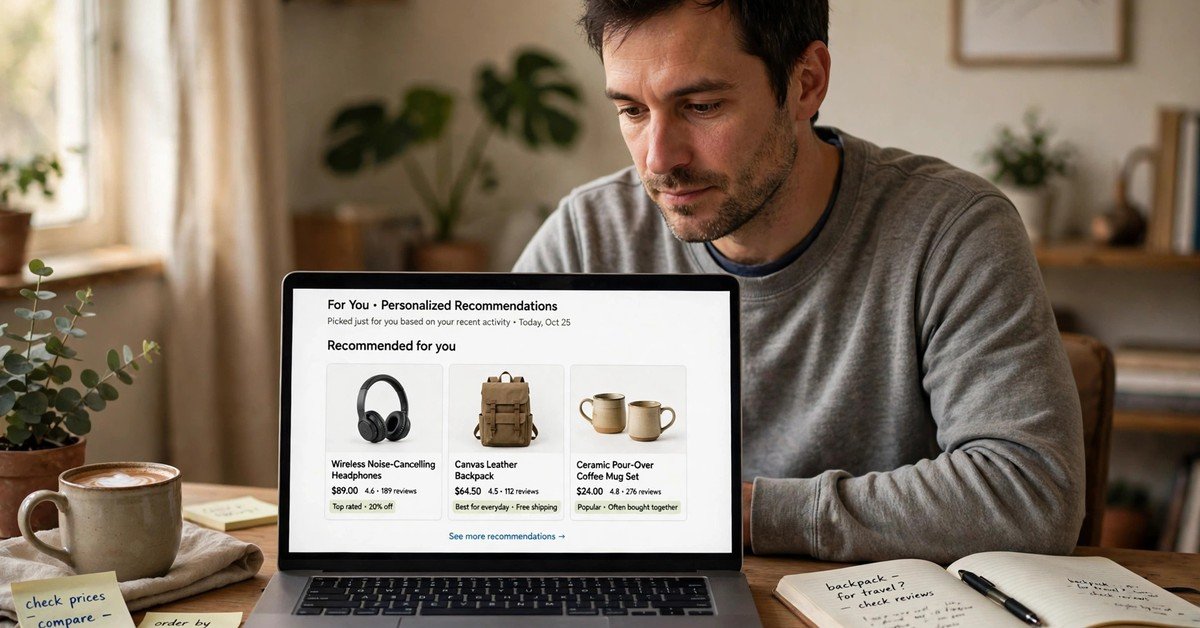
Ecommerce personalization means showing each shopper a store that fits what they have already told you through their actions. It is not about guessing who they are. It is about using browsing, past orders, and stated preferences to make the next step easier.
Many stores start too big. They buy a new tool, add pop-ups everywhere, and hope sales follow. A better start is smaller: fix one page, one email, or one recommendation block, then measure what changed.
This guide walks through that practical path. You will see what data to use, where personalization helps most, how to measure it, and where to draw a clear privacy line.
What Ecommerce Personalization Really Means
Ecommerce personalization is the practice of shaping parts of a store around a shopper’s context. That context can be simple, such as items viewed, items bought, size chosen, or a category visited twice.
It does not require knowing a person’s full life story. In fact, the best versions use the least data needed to be useful. A returning shopper who sees relevant sizes first is helped. A first-time visitor who sees clear bestsellers is also helped.
The goal is not to impress a visitor with clever tech. The goal is to cut friction. When a shopper finds the right product faster, trusts the price, and checks out without confusion, personalization has done its job.
The Data You Already Have (And What to Leave Alone)
Most stores already hold useful signals. Order history shows what people buy, how often, and at what price point. Browsing history shows interest before a purchase. Search terms show intent in the shopper’s own words.
Account preferences are another strong signal. Size, color, delivery area, and notification choices are given freely. Using them well feels respectful because the shopper chose to share them.
You do not need to collect everything. Avoid sensitive details that add no shopping value. Avoid buying lists that shoppers never agreed to join. If you cannot explain why you hold a piece of data, do not use it for targeting.
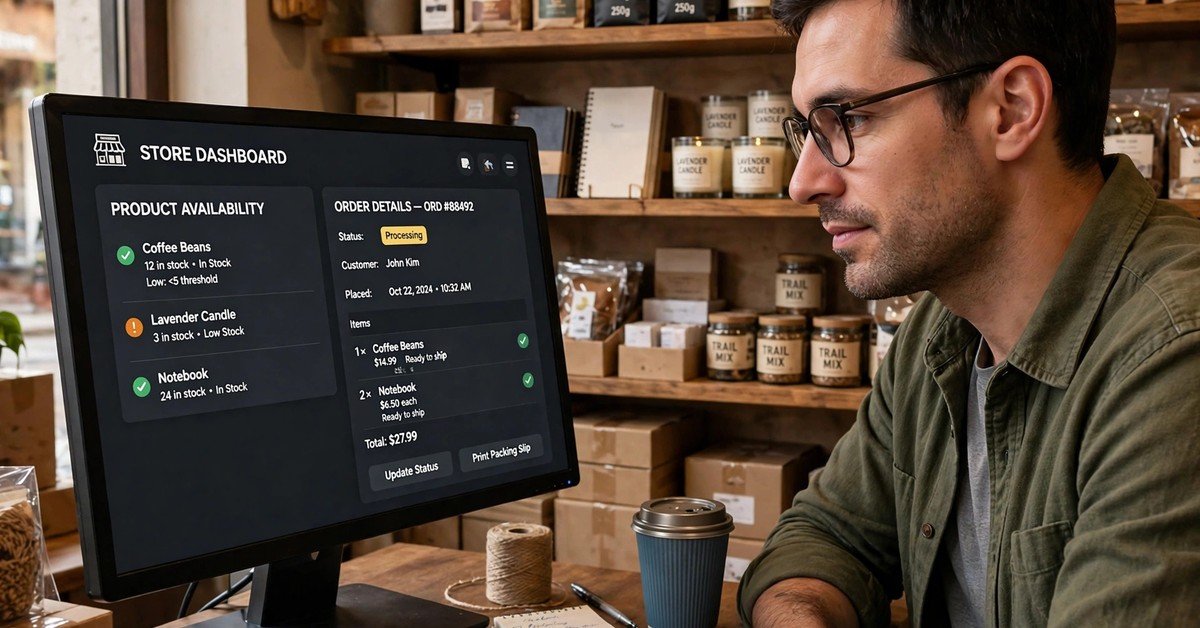
Stock and fulfilment data also matter for personalization. A recommendation is only helpful if the item is available in the right size and can ship on time. That is why product suggestions should stay close to live inventory, not a static list made weeks ago.
Product Recommendations That Actually Help
Recommendations work best when they answer a clear question. On a product page, the question is often: what goes with this, or what is a close alternative? On the cart page, the question is: did I miss something small and useful?
“Frequently bought together” can help when the pairing is real. A phone case with a phone makes sense. A random high-priced add-on does not. Shoppers notice the difference fast, and trust drops when suggestions feel like upselling.
“Similar items” should respect price and style. If a shopper is viewing a mid-priced item, showing only luxury versions can feel out of touch. Showing close matches in the same range, with clear differences, helps a decision.
Test one recommendation block at a time. Change its placement, its heading, or its product rule, then compare clicks and added-to-cart rates. Small tests teach more than a full redesign made on a guess.
Personalized Email and Offers Without Being Pushy
Email is where personalization often goes wrong. Sending the same discount to everyone trains shoppers to wait for a sale. Sending a relevant message at the right time builds a different habit: opening because the email is useful.
Start with three message types. First, a welcome series that explains shipping, returns, and bestsellers. Second, a post-purchase message with care tips and a related item. Third, a back-in-stock alert for an item the shopper actually viewed.
Discounts should follow behavior, not panic. A first-order offer can help a new visitor decide. A loyalty offer can reward repeat buyers. A blanket discount for every cart abandonment can erode margins and teach shoppers to abandon on purpose.
For a fuller view of how email fits a store’s plan, see this guide to an ecommerce email marketing agency. It helps to judge when to run email in-house and when outside help makes sense.

Homepage, Search, and Category Pages
The homepage should not try to be everything for everyone. Returning shoppers benefit from recent categories, recently viewed items, and a short path back to the cart. New visitors benefit from clear categories, bestsellers, and a simple value statement.
Search is a strong personalization surface. Sort results by relevance first, then let shoppers filter by size, price, color, and rating. Show recent searches for returning visitors, but keep the option to clear them in one tap.
Category pages should reflect intent. A shopper who filtered for a size should not lose that filter after one click. A shopper who sorted by price should see that order hold across pages. These small consistencies build trust.
Search visibility and on-site relevance work together. A store that ranks well still loses sales when its own search is weak. For the wider picture, this overview of ecommerce SEO services explains how traffic and on-site experience connect.
Generic vs Personalized: A Side-by-Side Look
A table makes the difference easier to judge. The left side shows a generic store. The right side shows a store shaped by context.
| Shopping step | Generic experience | Personalized experience |
|---|---|---|
| Homepage | Same banners for everyone | Recent categories and viewed items for return visitors |
| Search results | Fixed sort order | Relevance first, with saved filters kept |
| Product page | Random add-ons | Related items and close alternatives in range |
| Same blast to the full list | Messages tied to orders, views, or stock alerts | |
| Offers | One discount for all | Offers matched to new, repeat, or loyal shoppers |
| Checkout | No saved preferences | Saved size, address, and delivery choice where agreed |
The table is not a call to personalize everything at once. Pick one row, improve it, and measure the result. Stores that move row by row tend to keep quality high.
How to Measure Whether It Is Working
Personalization should show up in numbers a store owner can trust. Conversion rate is a first check: of visitors who saw a personalized block, how many bought? Compare that group with visitors who saw a generic block.
Average order value is a second check. Good recommendations can raise it by adding a truly useful item. Watch for a rise driven only by discounts, which can hide weak product matching.
Repeat purchase rate matters over months, not days. If shoppers return and buy again, the experience likely felt relevant. If they buy once and never return, a discount may have driven the first sale, not the experience.
For background on how leading stores think about tailored shopping, Shopify’s guide to personalization is a useful reference: Shopify on ecommerce personalization.
Privacy Limits Worth Respecting
Shoppers accept personalization when the trade is clear. They share a preference and get a better experience in return. They resist it when data feels hidden, shared without consent, or used in a way they did not expect.
Be plain about what you collect. A short privacy note in plain language beats a long page no one reads. State what you use, what you do not sell, and how a shopper can change or delete preferences.
Avoid personalization that follows shoppers across unrelated sites in a creepy way. Just because a tool can retarget everywhere does not mean it should. A restrained approach often protects long-term trust better than aggressive reminders.
Give control in the product itself. Let shoppers turn off recommendations, clear recent views, or pause marketing in one place. Control is not a loss of data. It is a reason for shoppers to stay.
A Simple 30-Day Starting Plan
Week one is for cleaning up. List the data you collect, remove fields you do not use, and write one plain-language note about personalization. Check that size filters, search sort, and saved preferences work as expected.
Week two is for one recommendation test. Pick a product page block and set a clear rule, such as close alternatives in the same price range. Run it for enough traffic to judge, and record the result before changing anything else.
Week three is for one email test. Send a post-purchase message with care guidance and one related item. Compare orders from that message with your usual follow-up. Keep the discount, if any, modest and tied to real behavior.
Week four is for review. Keep what improved conversion or repeat purchase without hurting trust. Pause what only raised clicks. Write down the winning rule so the next person on your team can repeat it.
Inventory accuracy supports every step of this plan. A personalized suggestion that leads to an out-of-stock page wastes the trust you just built. For the operations side, see how an ai inventory management software guide frames stock, demand, and fulfilment together.

Common Mistakes to Avoid
The first mistake is personalizing too early. A new store with little traffic should focus on clear categories, fast pages, and honest product details. Personalization adds value after the basics are solid.
The second mistake is over-segmenting. Twenty tiny groups are hard to maintain and easy to get wrong. Start with three or four useful groups, such as new visitors, one-time buyers, repeat buyers, and category fans.
The third mistake is hiding the reason for a suggestion. A label like “because you viewed this” is clearer than a vague “recommended.” Clear labels help shoppers trust the suggestion and correct it when it is wrong.
The fourth mistake is ignoring mobile. Most shoppers will see recommendations on a small screen. If a block pushes the buy button too far down, it hurts sales even when the suggestion is good. Test on a phone first.
Conclusion
Good ecommerce personalization is quiet work. It remembers useful preferences, shows relevant items, and stays out of the way when a shopper already knows what they want. It does not need to feel clever to be effective.
Start with data you already have. Improve one page, one email, or one recommendation block. Measure conversion, order value, and repeat purchase, and respect clear privacy limits along the way.
Stores that follow that order build something durable: a shop that feels familiar to returning customers and clear to new ones. That familiarity, earned over time, is the real advantage. A preview can help here too — virtual try on lets shoppers see fit and style before they buy, which makes a personalized suggestion easier to trust.
FAQs
What is ecommerce personalization in simple terms?
It is shaping parts of an online store around a shopper’s context, such as viewed items, past orders, or chosen preferences. The aim is to make finding and buying the right product easier.
Does a small store need personalization tools?
Not at first. A small store can start with bestsellers, clear filters, saved preferences, and one recommendation block. Add tools only when a clear test shows they improve a measured result.
Is personalization the same as showing discounts?
No. Discounts are one tactic. Personalization also covers search order, category layout, recommendations, messages, and saved choices. A store can personalize well without discounting everything.
How do I personalize without invading privacy?
Use only data shoppers gave or created through shopping on your site. Explain the trade in plain language, offer controls to change or clear preferences, and avoid data that adds no shopping value.

Muhammad Talha breaks down complex AI tools into simple, step-by-step guides for e-commerce entrepreneurs. His goal: to help you work smarter, not harder, by leveraging artificial intelligence
1 thought on “Ecommerce Personalization Guide for Online Stores (2026)”