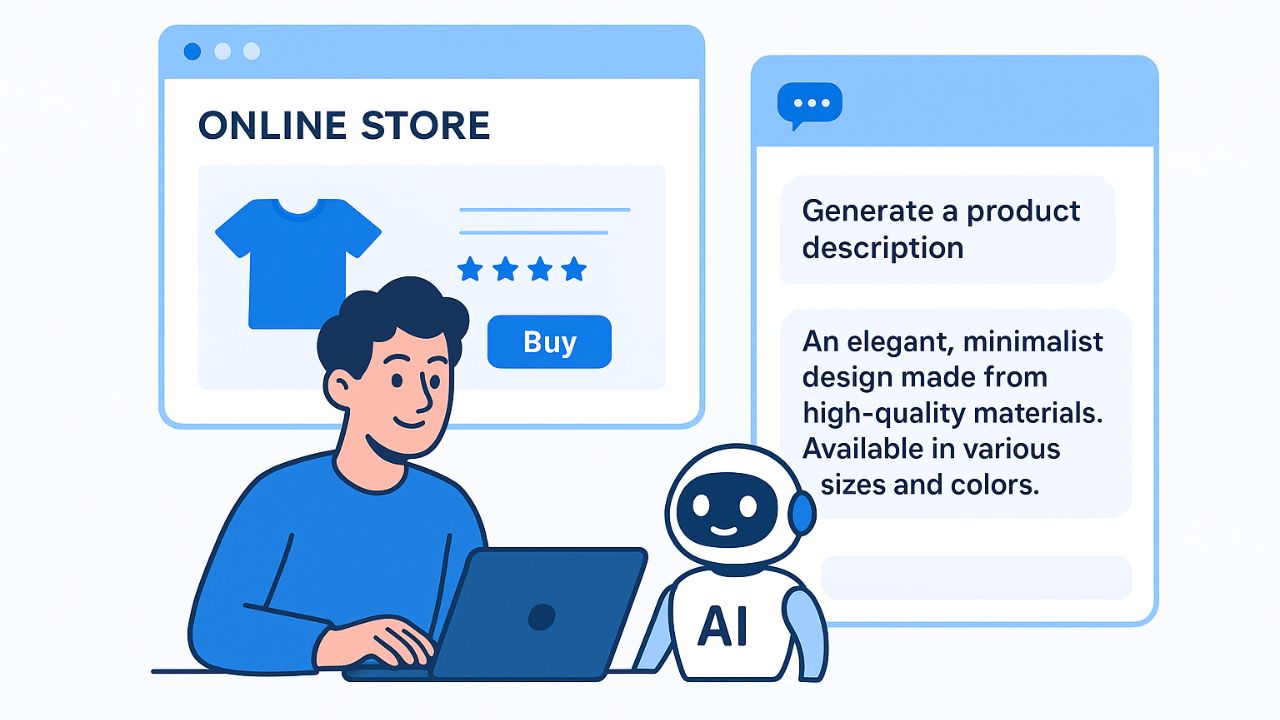

Manual creative production and slow testing cycles can no longer keep pace with Meta’s ad auction environment. In 2026, ad creative acts as the primary targeting signal: the visual hook and message determine who raises their hand. Running static, manually managed ad assets leaves significant performance on the table—data shows AI-driven dynamic creative setups can reduce Customer Acquisition Cost (CAC) by over 27% while lifting Click-Through Rates (CTR) and Return on Ad Spend (ROAS).
This guide synthesizes actionable insights from top-performing ecommerce workflows, competitive intelligence strategies, and direct production benchmarks to help you choose the right AI creative stack for Facebook and Instagram.
Quick Answer: Choose the Tool That Fixes Your Bottleneck
Instead of adopting tools based solely on feature count, select the platform that solves your team’s specific workflow gap:
| Production Bottleneck | Recommended AI Tool | Key Output / Deliverable | Key Pre-Launch Verification |
| Fashion Source Assets | Snappyit | Catalog, ghost mannequin, lifestyle, and motion assets from 1 photo | Garment color, silhouette, hardware, seams, and fit |
| Competitive Intelligence | PrimeSpy | Competitor ad spend, longevity, and cross-platform trend data | Differentiating your offer while adopting proven hooks |
| Branded Social Layouts | Canva / Magic Studio | Editable feed, carousel, and Story layouts from approved photography | Crop accuracy, mobile text hierarchy, and brand typography |
| URL-to-Video Concepts | Creatify | AI UGC avatars and scripts generated from product links | Product claims, voice-over accuracy, and final call-to-action |
| High-Volume Variations | AdCreative.ai | Conversion-scored static image and video ad layouts | Brand alignment, template deduplication, and visual quality |
| Multivariate Testing | Marpipe | Parallel automated testing across product catalog feeds | Variable isolation (isolating why an ad won, not just which) |
| Meta-Native Optimization | Madgicx | Creative clustering, automated re-budgeting, and copy generation | Ensuring spend routes automatically to winning visual clusters |
| Ad Cloning & Scaling | AdsTurbo | Fresh, brand-safe variations cloned from viral reference ads | Hook structure, pacing, and brand safety compliance |
How These Tools Were Selected

To evaluate the leading AI ad platforms, products were tested across real-world direct-to-consumer (DTC) and ecommerce workflows rather than reliance on landing page claims. The evaluation focused on three primary criteria:
- Product Accuracy: Can the software faithfully render the physical SKU—including visible textures, fit, color, fasteners, and scale—without hallucinating flaws?
- Workflow Alignment: Does the tool address the specific operational bottleneck—whether that is initial photography, video production, multivariate testing, or competitive analysis?
- Reviewable & Exportable Output: Can finished files be reviewed, verified against the actual SKU, and exported cleanly for direct deployment into Meta Ads Manager?
Top AI Ad Creative Tools for Ecommerce
1. Snappyit: A Fashion Ecommerce Asset Workflow
- Best For: Apparel and lifestyle brands needing listing photos, on-model context, and motion clips from a single product photo.
- Core Strengths: Snappyit connects AI product photography, AI fashion models, and image-to-video tools into a unified fashion workflow. A seller can take one flat-lay photo of an item (such as an activewear set or pajama top) and render model photos, lifestyle scenes, and short social clips without scheduling separate photoshoots.
- Verification Note: Always inspect fine details—zippers, curved seams, hemlines, and fabric texture—against the physical SKU before running paid campaigns.
2. PrimeSpy: Best for Competitive Creative Intelligence
- Best For: Performance marketers who want data-grounded insights before briefing or generating creative assets.
- Core Strengths: PrimeSpy layer analytical depth over native databases like the Meta Ad Library. It provides estimated ad spend, reach numbers, ad longevity, and cross-platform trend tracking across Meta and TikTok.
- Why It Matters: Launching AI generation without competitive research often results in visually polished ads that miss market context. Tracking competitors with ads running 30+ days reveals proven visual hooks and angles worth testing.
3. Canva Magic Studio: Best Free & Low-Cost Entry Point
- Best For: Solo founders and growing teams converting existing approved photography into branded feed and Story graphics.
- Core Strengths: Canva combines accessible drag-and-drop templates with Magic Studio tools like Magic Media (text-to-image), Magic Edit (swapping objects in photos), and Magic Resize (instant reformatting across 9:16, 1:1, and 4:5 ratios).
- Limitations: Canva is a design tool, not a performance engine—it lacks competitive research integrations, multivariate feed testing, and direct performance scoring models.
4. Creatify: Video Concepts from Product Information
- Best For: Turning ecommerce product URLs or briefs into short video concepts and UGC-style talking-head ads.
- Core Strengths: Creatify automatically pulls images, features, and text from a product page to generate video scripts and presenter-led clips using over 700 AI avatars.
- Verification Note: Review rendered video scripts to confirm product claims, pronunciations, and technical specifications are accurate.
5. AdCreative.ai: High-Volume Asset Generation with Conversion Scoring
- Best For: Rapidly generating batches of static images, social layouts, and video variants with predictive data feedback.
- Core Strengths: AdCreative.ai generates dozens of ad variations in seconds using trained layout frameworks. Before spending ad budget, its scoring model evaluates each generated asset based on conversion patterns from millions of historical ads. It also connects directly with Meta Ads Manager for frictionless publishing.
6. Madgicx: Best for Meta Ad Optimization
- Best For: Optimizing active campaigns through creative clustering and automated budget management.
- Core Strengths: Madgicx groups active ads into visual and copy clusters (analyzing background colors, CTA phrases, and compositions) to show which visual traits drive sales versus drain budget. It continuously reallocates budget toward top performers and generates copy tailored to audience intent.
7. Marpipe: Best for Multivariate Creative Testing
- Best For: Catalog-driven ecommerce brands needing to test hundreds of creative combinations simultaneously.
- Core Strengths: Rather than sequential A/B testing, Marpipe connects to ecommerce product feeds to generate and test hundreds of variations at once (swapping headlines, overlays, background colors, and CTAs). It isolates individual variables to explain why a specific ad won.
Turn One Product Photo into Assets for Facebook & Instagram Ads
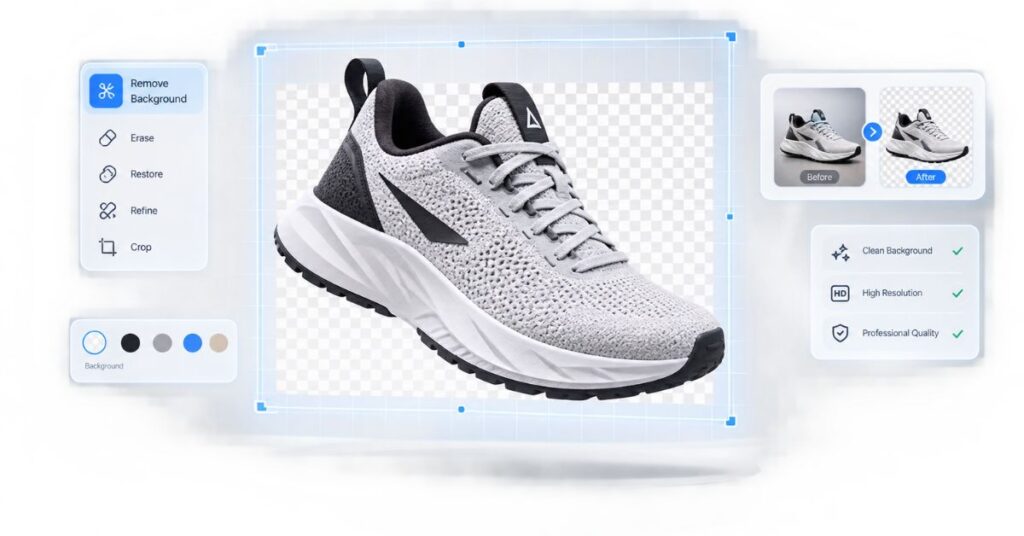
A primary operational challenge for ecommerce brands is asset scarcity. When launching a product, teams often possess only one high-resolution hero shot, yet Meta requires multiple variations across different formats to prevent creative fatigue.
By applying an AI asset pipeline, a single product photo can be expanded into:
- Clean Catalog/Listing Shot: AI background removal isolates the SKU on neutral backgrounds.
- On-Model Presentation: The product is rendered on AI-generated models representing diverse demographics.
- In-Situ Lifestyle Frame: The item is placed in realistic settings (e.g., an urban street, modern living room, or fitness studio).
- Short Social Motion Clip: Image-to-video engines add subtle environmental motion, lighting shifts, or camera pans for high-stopping-power Reels.
From an Approved Still to a Product-Led Social Video
Converting static product shots into motion graphics is essential for capturing attention on Reels and Stories.
[Approved Product Still]
       │
       ├──► AI Scripting Engine ──► Generates Hook & Angle
       │
       ├──► Voiceover / UGC Avatar ──► Renders Audio & Speech
       │
       └──► Motion Generator / Video Engine ──► Produces 9:16 Video Asset
- Input: Import the approved product photography and product URL.
- Hook Selection: Select a proven visual angle or problem-solution narrative based on competitive research.
- Motion Overlay: Utilize tools like Creatify, AdsTurbo, or image-to-video features to introduce motion, text overlays, dynamic captions, and background shifts.
- Final Inspection: Verify that video transitions do not obscure the physical product features or create visual distortion near key product details.
Facebook and Instagram Ad Sizes: Use a Ratio System
To maintain visual clarity across placements without manual re-designing for every screen, adopt a standardized aspect ratio system:
┌─────────────────┐   ┌─────────────────┐   ┌─────────────────┐
│     9:16        │   │       1:1       │   │       4:5       │
│  Reels & Story  │   │   Square Feed   │   │ In-Feed Portrait│
│  (Vertical Full)│   │   & Carousel    │   │ (Mobile Optimized)
└─────────────────┘   └─────────────────┘   └─────────────────┘
- 9:16 Vertical (1080 x 1920 px): Designed for Instagram Reels, Stories, and Facebook Stories. Keep critical text, CTA buttons, and logos within the safe center zone to avoid overlap with native app UI elements (like usernames or bottom sound bars).
- 1:1 Square (1080 x 1080 px): Standard layout for desktop feeds, carousel cards, and right-column placements.
- 4:5 Mobile Portrait (1080 x 1350 px): Ideal format for mobile feeds, taking up maximum vertical screen real estate without cropping into desktop placements.
UGC-Style Ecommerce Ad Creatives Without Fake Testimonials
User-Generated Content (UGC) outperforms overly polished studio ads on mobile feeds because it blends into social environments. However, relying on synthetic testimonials or deceptive AI actors can damage brand trust and violate advertising standards.
To build authentic, UGC-style creative without misleading representations:
- Product-First Demonstration: Focus video clips on the product in action—unboxing, close-ups on fabric/materials, or side-by-side problem-solution demonstrations.
- Voice-Over Narrative: Use clean, professional AI voice-overs to explain product features over authentic footage of the product rather than presenting fake consumer reviews.
- Clear Text Overlays: Implement native-looking mobile captions, dynamic hooks, and bullet points that mimic native TikTok or Instagram editing styles.
Meta Advantage+ Creative vs. AI Ad Creative Tools
A common point of confusion is whether native Meta tools replace dedicated creative platforms.
┌─────────────────────────────────────────────────────────┐
│                 OFF-PLATFORM AI TOOLS                   │
│   (Snappyit, Canva, AdCreative.ai, Creatify, Marpipe)   │
│   • Generates net-new source assets, videos, & layouts  │
│   • Competitive research & multivariate testing         │
└────────────────────────────┬────────────────────────────┘
                             │ Export Approved Assets
                             ▼
┌─────────────────────────────────────────────────────────┐
│               META ADVANTAGE+ CREATIVE                  │
│   • On-the-fly platform enhancements                    │
│   • Brightness adjustments, aspect ratio expansion      │
│   • Dynamic copy & music variations per user           │
└─────────────────────────────────────────────────────────┘
- Meta Advantage+ Creative: Operates inside Meta Ads Manager. It applies automated micro-adjustments at delivery—such as tweaking image brightness, adjusting aspect ratios, adding background music, or swapping headlines per user. It does not create net-new product photography or generate script-driven video ads from scratch.
- Third-Party AI Tools: Work off-platform to generate net-new source assets, product photography, video concepts, and structural variations.
Best Practice: Use third-party tools to create diverse, high-quality base assets, then allow Meta Advantage+ Creative to apply final platform adjustments during ad delivery.
A Shopify Facebook and Instagram Ad Creative Workflow

Integrating AI generation into an existing Shopify store workflow creates an efficient feedback loop:
[Shopify Catalog / Product Feed]
               │
               ▼
   [1. Research & Intelligence] ──► Audit winning competitor hooks (PrimeSpy)
               │
               ▼
   [2. Source Asset Generation] ──► Generate listing, model, & lifestyle assets (Snappyit)
               │
               ▼
   [3. Layout & Video Production]──► Build video concepts & layout variants (Creatify / Canva)
               │
               ▼
   [4. Deployment & Testing]    ──► Run multivariate tests & score assets (Marpipe / AdCreative)
               │
               ▼
   [5. Optimization Loop]       ──► Group creative clusters & scale budget (Madgicx)
Launch a Small Creative Matrix, Then Review Every File
Rather than uploading hundreds of unvetted AI images into an active campaign, launch using a structured Creative Matrix:
| Variable | Option A | Option B | Option C |
| Visual Hook | Product Close-Up | On-Model Lifestyle | UGC Motion Demo |
| Headline Angle | Benefit-Driven | Problem/Solution | Social Proof / Stat |
| Format | 4:5 Mobile Feed Still | 9:16 Video Reel | 1:1 Carousel Card |
Pre-Launch Quality Checklist
Before launching any AI-generated ad file, confirm the following:
- [ ] SKU Accuracy: Colors, logos, textures, seams, and physical features match the actual product.
- [ ] Text & Formatting: Typography is legible on mobile devices, with no typos or awkwardly wrapped lines.
- [ ] Placement Safe Zones: Critical text and logos in 9:16 assets do not overlap with native app overlays.
- [ ] Claim Verification: All promotional copy, offer details, and product statements are accurate and compliant.
Frequently Asked Questions
What is the best AI tool for Facebook and Instagram video ads specifically?
For direct video production from ecommerce product links, Creatify and AdsTurbo excel at producing UGC-style and script-driven social videos. If you need to generate motion clips directly from static product photography, Snappyit offers built-in image-to-video features tailored for physical products.
Can AI ad creative tools directly reduce Customer Acquisition Cost (CAC)?
Yes. By accelerating creative testing velocity, AI tools help identify high-converting visual hooks faster. Dynamic creative optimization and rapid variant testing consistently lead to CAC reductions between 20% and 30% by helping campaigns avoid creative fatigue.
Do these tools automatically publish campaigns to Meta Ads Manager?
Tools like AdCreative.ai and Madgicx integrate directly with Meta Ads Manager to push finalized assets and manage budgets. Other asset generators (like Canva or Snappyit) require exporting completed files for manual upload into your campaigns.
Final Recommendation
Building a high-performing AI ad stack in 2026 is about grounding generation in real market intelligence:
- Start with Research: Utilize competitive research platforms (PrimeSpy) to analyze proven ad angles, spend patterns, and creative formats in your niche before generating new assets.
- Fix Production Bottlenecks: Use specialized tools tailored to your missing step—Snappyit for source apparel photography, Canva for quick branded layouts, or Creatify for URL-to-video concepts.
- Scale and Test Systematically: Leverage AdCreative.ai or Marpipe to generate and score variants at scale, then let Madgicx or Meta’s native optimization tools route budget toward winning creative clusters.

Muhammad Talha breaks down complex AI tools into simple, step-by-step guides for e-commerce entrepreneurs. His goal: to help you work smarter, not harder, by leveraging artificial intelligence