Introduction
In the world of e-commerce, visuals are everything. Customers can’t touch or smell your product, so they rely entirely on your images to make a buying decision. Traditionally, getting high-end “hero shots” for a brand required renting a studio, hiring a professional photographer, and spending days on post-production.
For bootstrapped entrepreneurs and dropshippers, this is often a budget-breaker.
But the game has changed. Generative AI tools now allow us to create magazine-quality product photography and promotional banners in minutes, not days. In this guide, I’ll show you exactly how I used AI to build the visual identity for a luxury brand—without a camera crew.
Why AI is the New Standard for Product Photography
Before we dive into the “how-to,” let’s look at why smart e-commerce owners are switching to AI-generated backgrounds:
- Cost Efficiency: No need to buy props or rent locations.
- Speed: Create seasonal sale banners (Black Friday, Valentine’s) in seconds.
- Consistency: Maintain a specific color palette or aesthetic across your entire store.
Case Study: Designing for “Revore” (Luxury Fragrance)
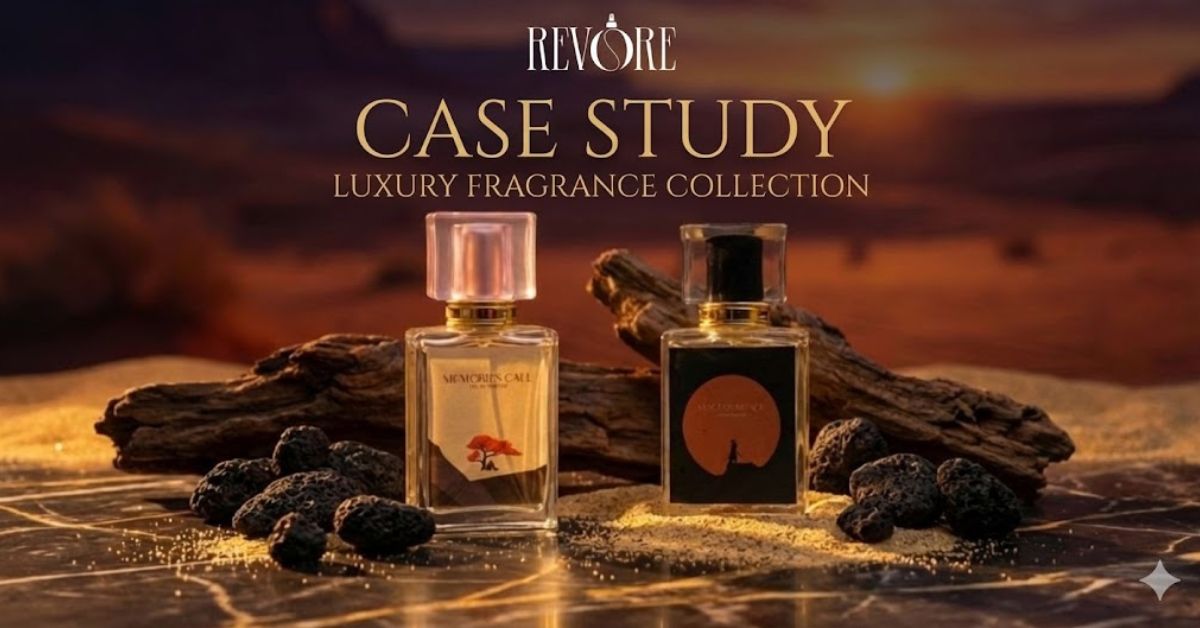
To test the limits of current AI tools, I recently took on the challenge of creating the marketing assets for a newly launched perfume brand, Revore.
Fragrance is one of the hardest niches to sell online because you have to visually convey a “scent” and a “feeling.” A plain white background wasn’t enough; we needed the images to feel expensive, bold, and atmospheric.
Here is the workflow I used to transform simple bottle shots into the premium banners you see on the Revore.store homepage.
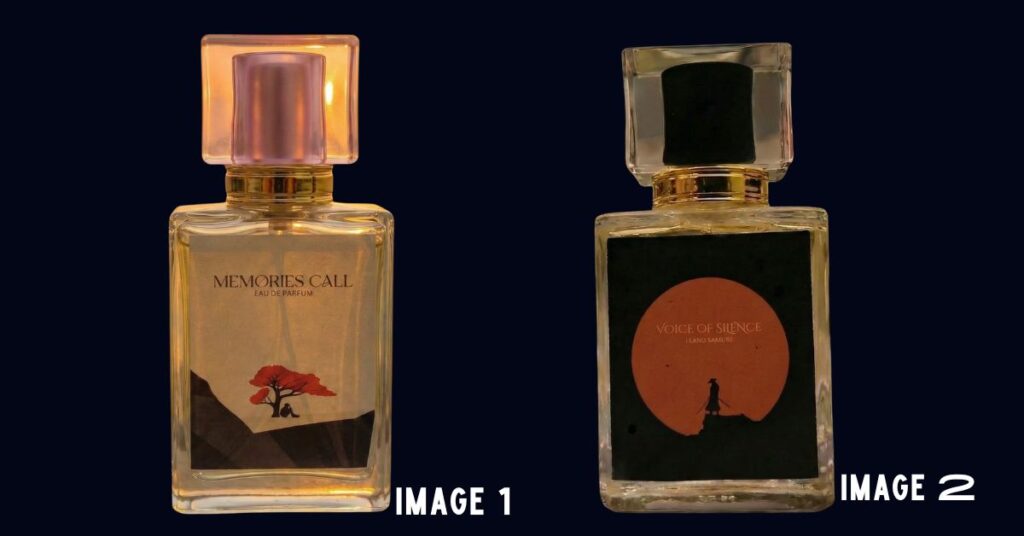
Step 1: The Raw Input
We started with a simple, high-resolution photo of the perfume bottle. Lighting was flat, and the background was removed (transparent PNG).
Step 2: Prompt Engineering for Backgrounds
Using AI image generators (like Midjourney or Adobe Firefly), I focused on prompts that matched the perfume’s notes.
- For a floral scent: I used prompts mentioning “Perfume bottle on sand with background of ocean at the sunset”
- For a bold scent: I used prompts like “dark mood, luxury silk texture, gold accents, 8k resolution.”
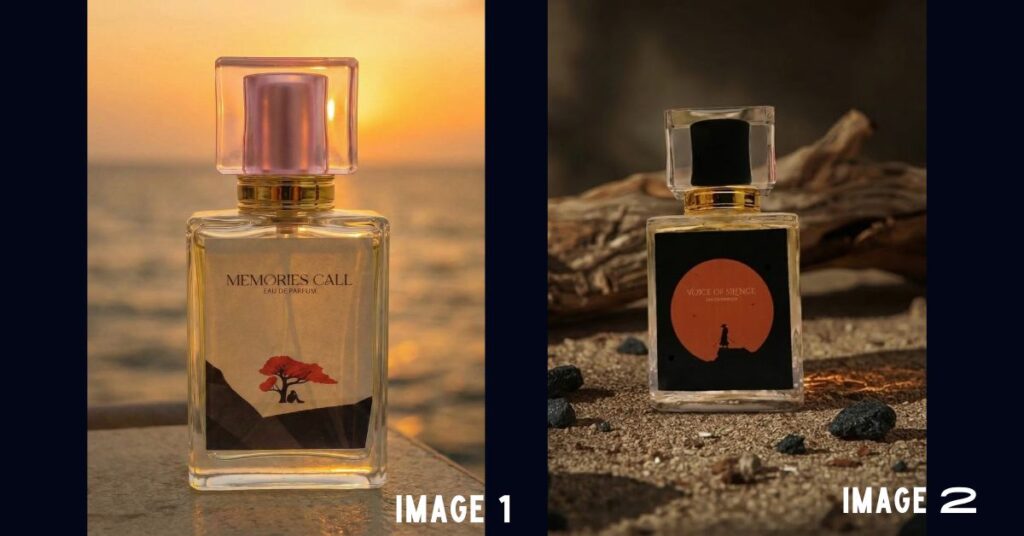
Step 3: Blending and Sale Banners
Once the backgrounds were generated, I used AI “out-painting” and canvas editors to expand the images. This allowed me to add text overlays for “Sale” and “Shop Now” buttons without cluttering the main product view.
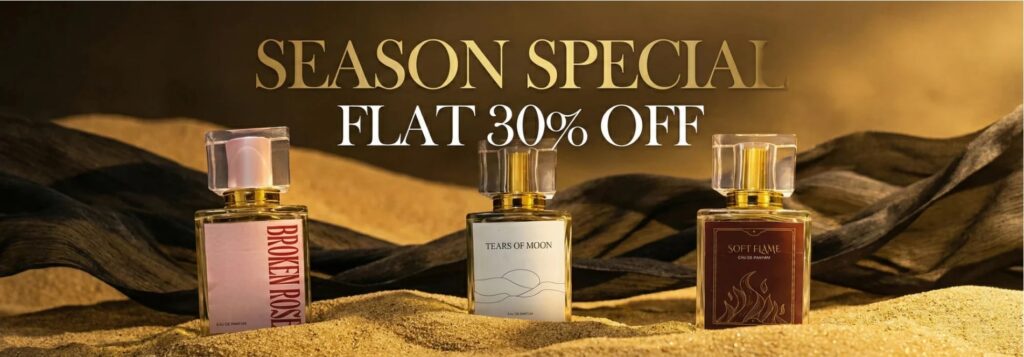
The Result: High-Conversion Visuals
The difference in perceived value was instant. By placing the product in a context—surrounded by silk, smoke, or nature—the brand immediately looked established and trustworthy.
You can see the final result live on the Revore Perfumes website. The banners don’t just look good; they load fast and are completely unique to the brand, avoiding the generic stock photo look that many stores suffer from.
Conclusion
If you are running an online store, stop waiting for the “perfect budget” to upgrade your visuals. With the right AI tools and a bit of creativity, you can produce luxury-tier assets from your laptop.
Whether you are selling tech gadgets or luxury fragrances like Revore, AI is the equalizer that lets small brands compete with the giants.
Muhammad Talha breaks down complex AI tools into simple, step-by-step guides for e-commerce entrepreneurs. His goal: to help you work smarter, not harder, by leveraging artificial intelligence